Sublimation printing has become a popular choice for creating vivid, long-lasting artwork and custom products. When applied to canvas, this technique opens up new possibilities for artists, crafters, and print shops seeking to produce gallery-quality prints, personalized gifts, or unique home décor. Understanding the process, selecting the right materials, and knowing how to troubleshoot common issues are key to achieving professional results with sublimation printing for canvas.
Essential Materials and Tools for Canvas Sublimation
To begin with, having the correct supplies is crucial for successful results. The core materials for sublimation printing for canvas include:
- Sublimation printer: A printer equipped with sublimation ink, designed specifically for this process.
- Sublimation paper: Special transfer paper that holds the ink until it is heat-pressed onto the canvas.
- Heat press: A device that applies consistent heat and pressure, essential for transferring the design.
- Polyester canvas or canvas prepared with a polyester coating: Sublimation ink bonds only with polyester fibers, so the canvas must be compatible.
- Clear dye sub HTV (Heat Transfer Vinyl): A newer product, clear dye sub HTV allows sublimation on canvases that are not inherently polyester-based, expanding creative options.
- Heat resistant tape: Used to secure the transfer paper in place during pressing.
- Protective sheets (such as parchment paper or Teflon): To prevent ink bleed and protect your heat press.
While there are many brands available, it’s important to choose high-quality materials to ensure vibrant, durable prints. The introduction of clear dye sub HTV has made it possible to sublimate onto traditional cotton canvases by adding a polyester layer, which is especially useful for artists who prefer the texture of classic canvas but want the benefits of sublimation.
Step-by-Step Process for Sublimation Printing on Canvas
Once you have the necessary tools, follow these steps to achieve the best results with sublimation printing for canvas:
- Prepare your design: Use graphic design software to create or edit your image. Make sure to mirror the design before printing, as the transfer process will reverse it.
- Print the design: Load your sublimation printer with sublimation ink and print onto sublimation paper. Allow the ink to dry completely.
- Prepare the canvas: If using polyester canvas, ensure it is clean and free from dust. For cotton or non-polyester canvases, apply a layer of clear dye sub HTV according to the manufacturer’s instructions, typically using a heat press to bond the vinyl to the canvas.
- Align and secure the transfer: Place the printed sublimation paper face down onto the canvas. Use heat resistant tape to hold it in place, ensuring the design is positioned correctly.
- Heat press the canvas: Set your heat press to the recommended temperature (usually around 375–400°F or 190–205°C) and time (typically 45–60 seconds). Place a protective sheet over the transfer to prevent ink from transferring to the press.
- Remove the transfer: After pressing, carefully peel away the sublimation paper while it is still warm. Allow the canvas to cool before handling further.
- Finishing touches: Inspect the print for any imperfections. If desired, stretch the canvas over a frame or mount it for display.
For more detailed instructions on the overall process, you may find it helpful to review a sublimation printing process guide that covers each stage in depth.
How to Choose the Best Canvas for Sublimation
Selecting the right canvas is a critical step that directly affects the quality and longevity of your prints. Not all canvases are created equal when it comes to sublimation:
- Polyester canvas: The ideal choice for sublimation, as the ink chemically bonds with polyester fibers, resulting in vibrant, permanent images. Look for canvases labeled as 100% polyester or with a high polyester content.
- Polyester-coated canvas: Some canvases are coated with a polyester layer, making them compatible with sublimation even if the base material is not polyester. This option is suitable for those who want the look and feel of traditional canvas with the benefits of sublimation.
- Cotton canvas (with HTV): Standard cotton canvases do not work with sublimation ink directly. However, by applying clear dye sub HTV, you can add a polyester surface to the canvas, allowing for successful transfers.
The type of canvas you choose will influence color vibrancy, sharpness, and durability. Polyester canvases yield the most vivid results, while cotton canvases with HTV may have a slightly different texture but still produce excellent prints. Always check the manufacturer’s recommendations and test a small sample before starting a large project.
Troubleshooting Common Sublimation Printing Issues
Even with careful preparation, challenges can arise during sublimation printing for canvas. Here are some frequent problems and practical solutions:
- Faded or dull colors: This often results from insufficient heat, low pressure, or using a canvas with too little polyester content. Double-check your heat press settings and ensure the canvas is suitable for sublimation.
- Ghosting or blurry images: If the transfer paper shifts during pressing, the image may appear doubled or blurred. Use heat resistant tape to secure the paper firmly and avoid moving the canvas until it cools.
- Uneven transfers: Uneven pressure or an unlevel heat press can cause patchy results. Make sure your press is calibrated and apply even pressure across the entire surface.
- Ink bleeding or smudging: Excess moisture or using the wrong protective sheet can cause ink to bleed. Always use dry materials and a suitable protective layer.
- Design not transferring: If the image remains on the paper, the canvas may lack sufficient polyester or the heat/time settings may be incorrect. Verify both before trying again.
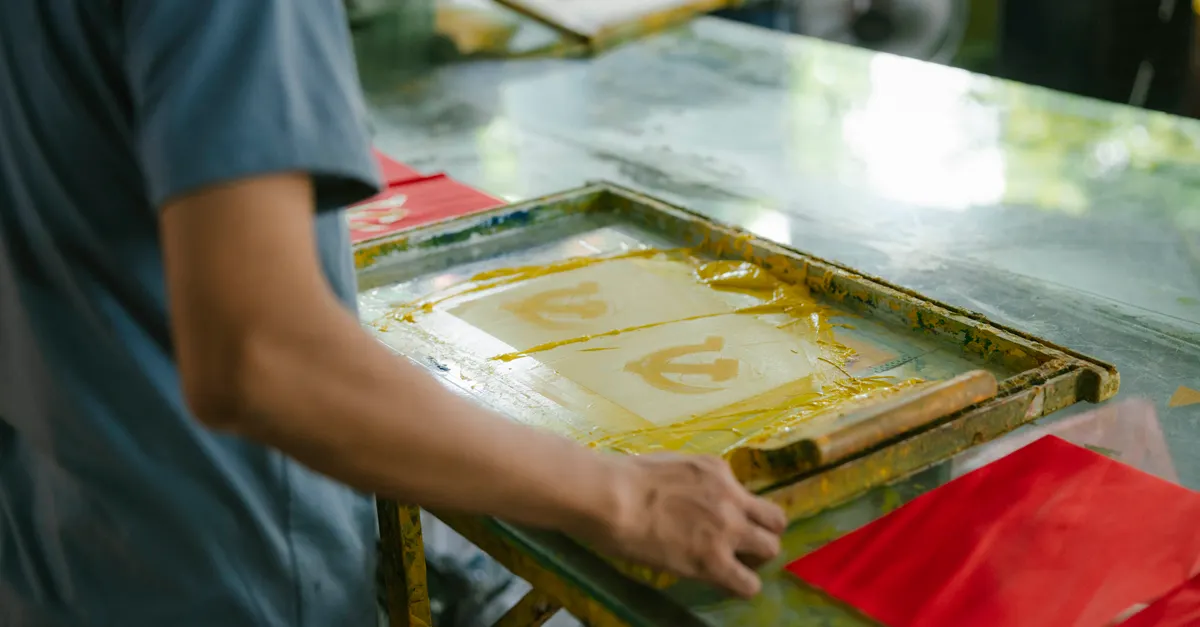
If you encounter persistent issues, consider reviewing your workflow step by step, testing different canvases, or consulting with suppliers for material compatibility. For those interested in exploring alternative methods, comparing screen printing techniques for bags can provide additional insights into how different printing processes handle various substrates.
Conclusion
Sublimation printing offers a creative and durable way to produce custom canvas prints, whether for personal projects or commercial use. By choosing the right materials, following a clear process, and understanding how to troubleshoot common problems, you can achieve professional-quality results. The flexibility of modern products like clear dye sub HTV means that even traditional cotton canvases can be used for sublimation, expanding your creative options. With attention to detail and a willingness to experiment, anyone can master this rewarding printing technique.
Frequently Asked Questions
Can any canvas be used for sublimation printing?
No, only canvases with a high polyester content or those coated with a polyester layer are suitable for sublimation. Cotton canvases require an additional layer, such as clear dye sub HTV, to accept sublimation ink.
What temperature and time settings are best for canvas sublimation?
Most sublimation transfers onto canvas are done at 375–400°F (190–205°C) for 45–60 seconds. However, always check the recommendations for your specific materials and equipment, as variations may exist.
Why is my sublimation print not vibrant on canvas?
Dull or faded prints usually result from using a canvas with insufficient polyester, incorrect heat press settings, or low-quality ink or paper. Ensure all materials are compatible and settings are optimized for your project.