The world of 3D printing design automation is transforming how products are developed, prototypes are built, and manufacturing workflows are managed. By leveraging advanced software and automated processes, businesses and individuals can streamline their 3D modeling tasks, minimize manual intervention, and significantly reduce the risk of costly mistakes. As the demand for rapid prototyping and on-demand manufacturing grows, the need for efficient, reliable, and error-resistant design workflows becomes even more critical.
Whether you are a designer, engineer, or business owner, understanding how to implement automated design solutions in your 3D printing workflow can lead to faster turnaround times, improved product quality, and greater innovation. For those interested in related topics, you might also want to explore what is soft hand feel in garment printing to see how automation is impacting other printing industries.
Understanding Automated 3D Design Workflows
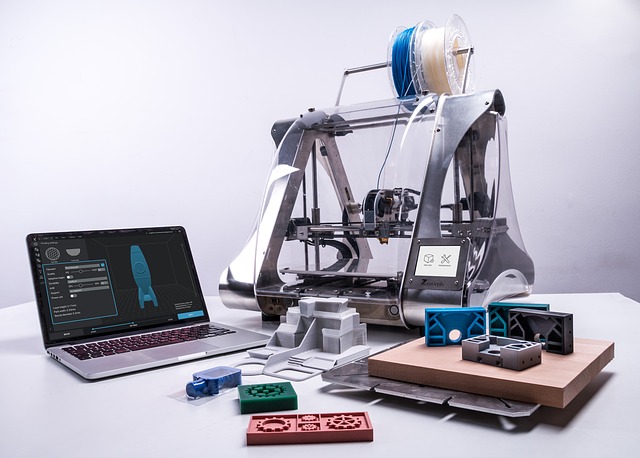
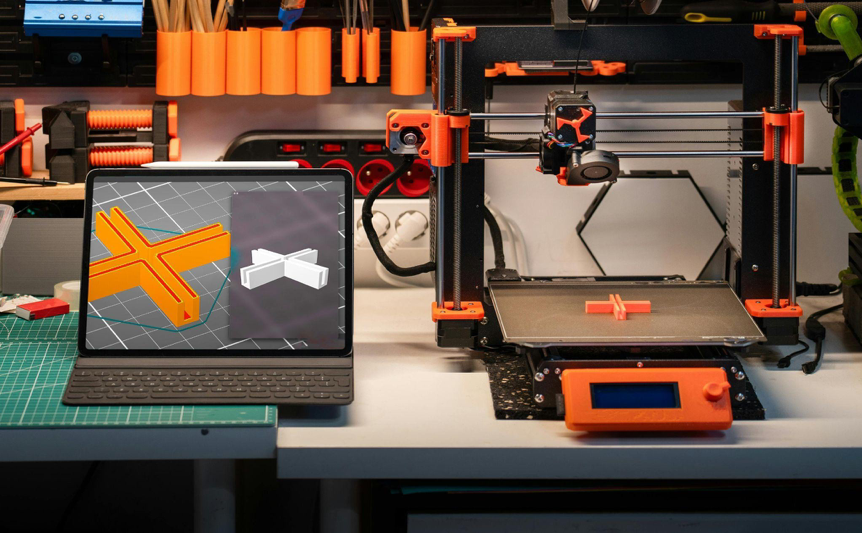
At its core, 3D printing design automation refers to the use of software tools and algorithms to generate, modify, and optimize 3D models with minimal manual input. These solutions can range from simple parameter-driven scripts to advanced artificial intelligence platforms that analyze and adapt designs based on specific requirements.
Automation in 3D modeling often involves:
- Parametric design, where users define key variables and constraints, allowing the software to generate multiple iterations automatically.
- Automated error checking, which scans models for common issues such as non-manifold edges, thin walls, or unsupported overhangs.
- Batch processing, enabling the preparation of multiple files for printing without manual intervention.
- Integration with slicing software, so that models are automatically prepared for the chosen printer and material.
By automating these steps, designers can focus on creativity and innovation, while reducing repetitive tasks and the likelihood of human error.
Key Benefits of Automated 3D Printing Design
Embracing automated workflows in 3D printing brings several tangible advantages:
- Time Savings: Automation drastically cuts down the time required for model preparation, error correction, and file conversion. This is especially valuable for businesses handling large volumes of prints or frequent design changes.
- Reduced Errors: Automated error detection and correction tools help catch issues before printing begins, minimizing failed prints and wasted materials.
- Consistency: Automated processes ensure that every model is prepared according to the same standards, leading to uniform quality across batches.
- Scalability: As production needs grow, automated systems can handle increased workloads without a proportional increase in labor costs.
- Cost Efficiency: By reducing manual labor and material waste, automation helps lower overall production costs.
Popular Tools and Software for Automated 3D Design
A variety of software platforms and plugins are available to help automate the design and preparation of 3D models for printing. Some of the most widely used solutions include:
- Autodesk Fusion 360: Offers parametric modeling, scripting, and automated workflows for both design and manufacturing.
- SolidWorks: Includes automation features for repetitive tasks and integrates with various 3D printing plugins.
- Blender with Add-ons: Open-source and highly customizable, Blender supports automation through Python scripting and community-developed add-ons.
- Materialise Magics: Focuses on automated error correction, support generation, and batch processing for industrial 3D printing.
- Grasshopper for Rhino: Enables algorithmic and parametric design, ideal for creating complex, customizable models.
Many of these tools integrate directly with slicing software or cloud-based platforms, further streamlining the process from design to finished print.
Integrating Automation Into Your 3D Printing Workflow
Incorporating automated design processes into your 3D printing setup doesn’t have to be complicated. Here are some practical steps to get started:
- Assess Your Needs: Identify repetitive or error-prone tasks in your current workflow that could benefit from automation.
- Choose the Right Tools: Select software that matches your technical requirements and integrates well with your hardware.
- Leverage Templates and Scripts: Use or develop templates, macros, or scripts to automate common modeling and preparation tasks.
- Automate Error Checking: Implement tools that automatically scan models for printability issues before sending them to the printer.
- Batch Processing: Set up batch operations for preparing multiple files, especially if you handle large print runs.
- Continuous Improvement: Regularly review and refine your automated workflows to adapt to new challenges and technologies.
For those interested in how automation is shaping other areas of printing, the article on benefits of micro-factory models for fashion printing offers additional insights.
Reducing Human Error in Additive Manufacturing
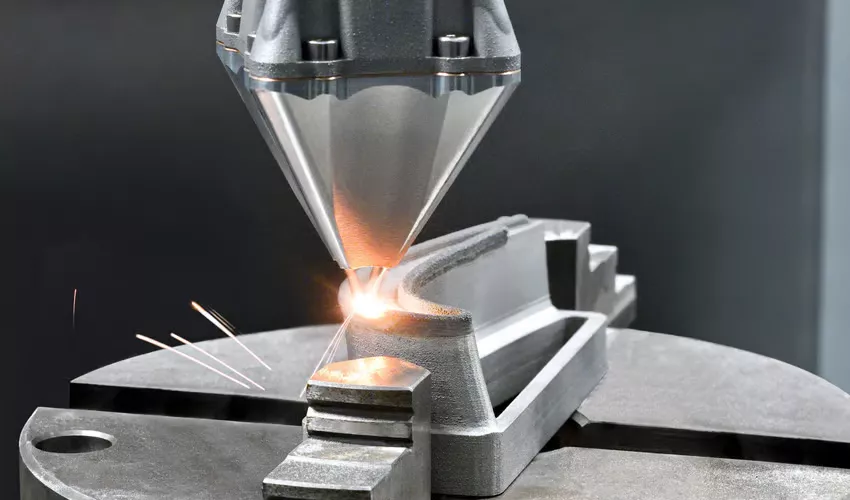
One of the biggest challenges in additive manufacturing is the potential for human mistakes during model preparation, printer setup, and post-processing. Automated systems help mitigate these risks by:
- Automatically flagging non-printable geometries or unsupported features.
- Standardizing print settings and material choices for consistent results.
- Providing real-time feedback and suggestions for design improvements.
These features not only reduce failed prints but also enhance the overall reliability of the production process. For those managing high-value or time-sensitive projects, the impact on productivity and cost savings can be substantial.
Choosing the Right 3D Printer for Automated Workflows
The effectiveness of automation in 3D printing also depends on the hardware used. Modern printers often come with built-in automation features such as auto-bed leveling, filament sensors, and remote monitoring. When selecting a printer, consider:
- Compatibility with your chosen design and slicing software.
- Support for automated calibration and maintenance routines.
- Connectivity options for integrating with networked or cloud-based systems.
- Material versatility and print volume requirements.
For a wide range of professional and desktop 3D printers, you can compare options at Formlabs’ 3D printer catalog.
FAQ: Common Questions About 3D Printing Design Automation
How does automated design improve 3D printing efficiency?
Automated design tools streamline repetitive tasks, reduce manual errors, and enable faster preparation of models for printing. This leads to quicker turnaround times and more consistent results, especially in high-volume or complex projects.
Can automation help with error detection before printing?
Yes, most modern automation software includes built-in error checking that scans models for issues like thin walls, unsupported overhangs, and non-manifold edges. This helps prevent failed prints and material waste.
Is it necessary to have programming skills to use automated 3D design tools?
While some advanced automation features may require scripting or programming, many commercial tools offer user-friendly interfaces and pre-built templates. Beginners can often benefit from automation without needing to write code.
What industries benefit most from automated 3D design workflows?
Industries such as aerospace, automotive, healthcare, and consumer products see significant benefits from automation due to the need for rapid prototyping, customization, and high-quality production.
Conclusion
The adoption of 3D printing design automation is reshaping the way products are conceived, developed, and manufactured. By integrating automated tools and workflows, organizations and individuals can achieve greater speed, accuracy, and scalability in their additive manufacturing projects. For those exploring the future of digital fabrication, embracing automation is a practical step toward staying competitive and innovative in a rapidly evolving industry.
If you’re interested in other aspects of print technology, you may also find value in learning about the benefits of direct to film for small fashion labels or understanding how to remove ghost images from printing screens for traditional printing processes.