


Preparing your designs for textile printing is a crucial step that can make or break the final outcome. Whether you are a designer, business owner, or hobbyist, understanding how to prepare artwork for fabric printing ensures your patterns, colors, and details are accurately reproduced on fabric. This process involves more than just uploading a file—attention to file formats, color management, resolution, and print methods is essential for professional results.
In this article, you’ll find a comprehensive overview of the steps and best practices for getting your artwork print-ready. We’ll cover technical requirements, tips for optimizing your files, and common pitfalls to avoid. If you’re interested in exploring specific techniques, such as dye sublimation, you may also want to check out our guide to dye sublimation printing on polyester for more targeted advice.
Understanding the Fabric Printing Process
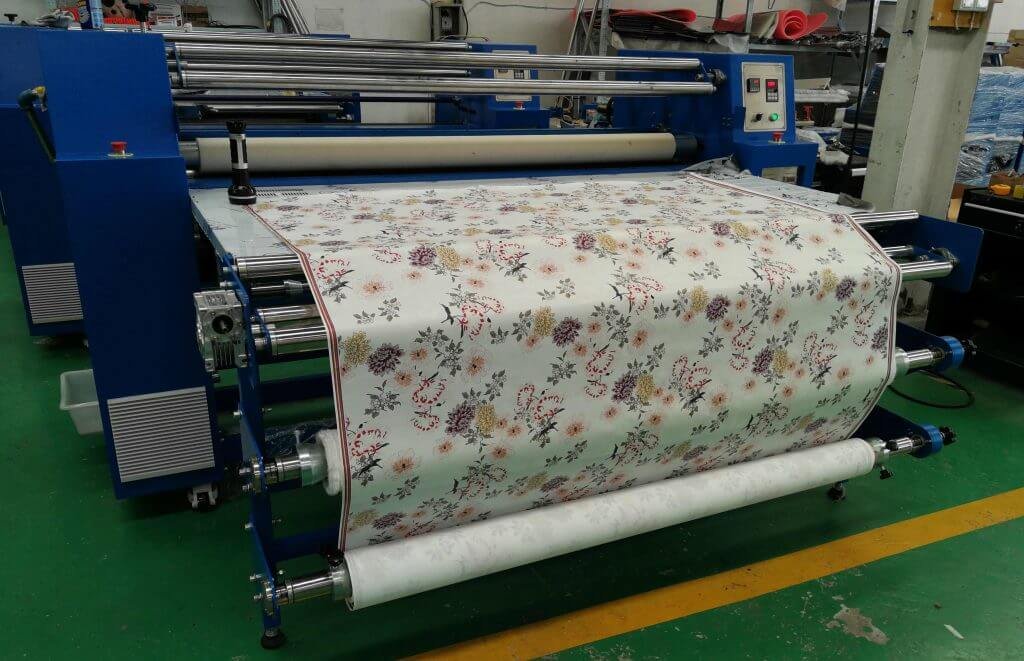
Before diving into file preparation, it’s important to understand the different methods used in textile printing. The most common techniques include screen printing, digital printing, and dye sublimation. Each method has unique requirements for artwork and influences how colors and details appear on the final product.
- Screen printing is ideal for bold, solid colors and larger runs. It requires artwork to be separated by color, often in vector format.
- Digital textile printing allows for full-color, detailed designs and is suitable for shorter runs or custom pieces. It supports raster images and complex gradients.
- Dye sublimation works best on polyester fabrics and produces vibrant, long-lasting prints. Artwork must be prepared with the right color profiles and mirrored for certain applications.
For a deeper look at how digital technology is transforming the industry, see this overview of digital textile printing advancements.
Key Steps to Prepare Artwork for Fabric Printing
Achieving professional results starts with following a structured approach. Here are the essential steps to get your designs print-ready:
1. Choose the Right File Format
The preferred file format depends on the printing method and the complexity of your design. For most digital and sublimation printing, high-resolution raster files such as TIFF or PSD are recommended. For screen printing and vector-based designs, AI, EPS, or PDF files are ideal. Always check with your print provider for their specific requirements.
2. Set the Correct Resolution and Size
Resolution is critical for sharp, detailed prints. Artwork should be created at a minimum of 150–300 DPI at the final print size. Avoid resizing small images to larger dimensions, as this can cause pixelation and loss of quality. Always design at the actual size you want printed.

3. Manage Color Profiles and Modes
Color management is one of the most important aspects of preparing files for textile printing. Use the CMYK color mode for most print processes, as it closely matches the inks used. For digital textile printing, some providers may request RGB files to take advantage of a wider color gamut. Embed the appropriate color profile (such as Adobe RGB (1998) or US Web Coated SWOP v2) and consult your printer for their preferences.
Remember, colors may appear differently on fabric compared to your screen. Request a proof or sample if color accuracy is critical.
4. Prepare for Repeats and Seamless Patterns
If your design is intended to be a repeating pattern, ensure it tiles seamlessly. Use design software features to check for visible seams or mismatches. Save your repeat tile at the correct dimensions and test it by duplicating the tile edge-to-edge.
5. Account for Bleed, Margins, and Safe Zones
Add a bleed area (typically 0.25–0.5 inches) around your artwork to prevent unprinted edges. Keep important elements away from the edge by maintaining a safe margin. This is especially important for cut-and-sew products, where slight shifts during production can affect the final placement.
Optimizing Artwork for Best Results
Beyond technical setup, several creative and practical considerations can help ensure your fabric prints look their best.
Use High-Quality Images and Vectors
Start with crisp, high-resolution images or clean vector graphics. Avoid using compressed JPEGs or low-quality scans, as these can introduce artifacts and blur. For vector artwork, outline all fonts and expand strokes to prevent issues during output.
Check for Transparency and Layers
Flatten your artwork layers if required by your printer, and ensure there are no unintended transparent areas unless specifically needed. Transparency can sometimes cause unexpected results in the final print.
Test with Mockups and Swatches
Visualize your design on a fabric mockup to check scale, color, and placement. If possible, order a small test print or swatch to evaluate how your artwork translates to the chosen material.
Common Mistakes to Avoid When Getting Artwork Print-Ready
- Submitting files in the wrong color mode, resulting in unexpected color shifts.
- Using low-resolution images that appear blurry or pixelated on fabric.
- Forgetting to add bleed, leading to unprinted edges after cutting.
- Not checking for seamless repeats in pattern designs.
- Ignoring printer specifications for file format and size.
Taking the time to review your files and communicate with your print provider can help you avoid these issues and achieve the best possible outcome.
FAQ: Artwork Preparation for Fabric Printing
What file format should I use for textile printing?
The optimal file format depends on the printing method. For digital and sublimation printing, high-resolution TIFF or PSD files are typically preferred. For screen printing or vector-based designs, AI, EPS, or PDF files are best. Always verify with your print provider.
How do I ensure colors print accurately on fabric?
Use the correct color mode (usually CMYK) and embed the appropriate color profile. Keep in mind that colors can look different on fabric compared to your screen. Requesting a printed proof or swatch is the best way to check color accuracy before full production.
What resolution is best for fabric printing artwork?
Artwork should be created at 150–300 DPI at the final print size. This ensures sharp details and prevents pixelation. Avoid enlarging small images, as this can degrade quality.
Do I need to add bleed to my artwork?
Yes, adding a bleed (typically 0.25–0.5 inches) around your design prevents unprinted edges after cutting. Also, keep important elements within a safe margin to account for slight shifts during production.
Conclusion
Mastering the process of how to prepare artwork for fabric printing is essential for anyone looking to achieve professional, high-quality results. By following best practices for file setup, color management, and design optimization, you can ensure your creative vision is faithfully reproduced on fabric. For those interested in more specialized techniques, such as dye sublimation, our in-depth guide offers additional insights.
As fabric printing technologies continue to evolve, staying informed about the latest methods and requirements will help you produce outstanding products and avoid costly mistakes. For more on the future of textile production, explore this comprehensive look at digital textile printing.