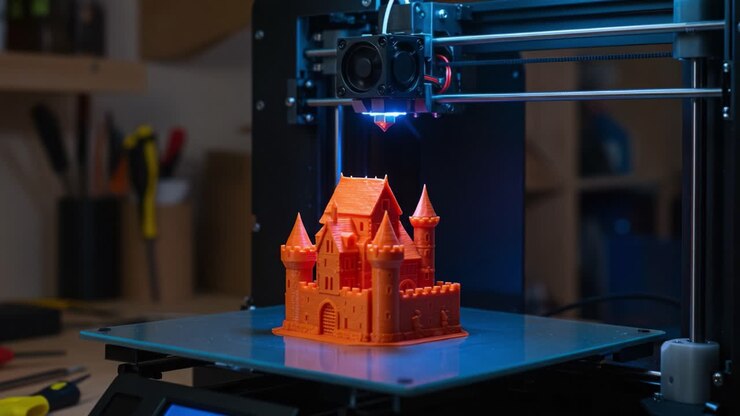
The ability to 3D print intricate shapes has opened up new possibilities for designers, engineers, and hobbyists. However, achieving reliable results when working with advanced forms and challenging overhangs requires more than just a standard approach. Mastering the process of printing complex geometries involves understanding design constraints, optimizing print settings, and choosing the right materials and tools.
Whether you’re aiming to fabricate organic structures, functional prototypes, or detailed models, this guide will walk you through proven strategies to help you succeed. Along the way, you’ll find practical tips, essential resources, and links to further reading, such as how to select the best slicer software for 3D printing and advice on 3D printer maintenance tips to keep your machine running smoothly.
Before diving into the technical details, it’s important to recognize that success with intricate prints often comes from a combination of careful planning, the right hardware, and a willingness to iterate. Let’s explore the key factors that will help you master the art of fabricating advanced shapes with your 3D printer.
Understanding the Challenges of Advanced 3D Shapes
Creating objects with overhangs, bridges, internal cavities, or fine details presents unique obstacles. The most common issues encountered when working with complex 3D forms include:
- Warping and layer adhesion problems due to uneven cooling or insufficient support.
- Support structure removal difficulties, especially in hard-to-reach areas.
- Surface quality concerns, such as stringing or rough finishes on intricate features.
- Print failures caused by unstable parts or excessive overhangs.
Addressing these challenges requires a holistic approach that starts with design and extends through material selection, printer setup, and post-processing.
Designing for Success with Intricate Prints
The foundation of any successful project involving printing complex geometries is a well-thought-out design. Here are some essential design strategies:
- Minimize unsupported overhangs: Try to keep overhang angles below 45 degrees when possible, or plan for support structures where necessary.
- Split large or intricate models: Break up your object into smaller, more manageable sections that can be assembled after printing.
- Incorporate fillets and chamfers: Rounding sharp corners and adding chamfers can improve strength and printability.
- Optimize wall thickness: Ensure thin features are thick enough to print reliably, but not so thick that they waste material or cause warping.
- Plan for support removal: Design internal channels or access points to make it easier to remove supports after printing.
For those new to 3D modeling, consider exploring open source 3D printing software options that offer advanced mesh analysis and repair tools.
Choosing the Right Materials and Tools
The choice of filament or resin can have a major impact on your ability to produce detailed and stable prints. Here’s what to consider:
- Material properties: PLA is easy to print but may not be strong enough for intricate, load-bearing parts. PETG and ABS offer better strength and temperature resistance, while specialty filaments like nylon or flexible TPU can handle more demanding applications.
- Resin printing: For extremely fine details, resin printers (SLA or DLP) are often the best choice. They excel at producing smooth surfaces and sharp features, though they require careful handling and post-processing. For more on safe handling, see this guide to resin printing safety.
- Nozzle size and type: A smaller nozzle (e.g., 0.2–0.3 mm) can produce finer details but may increase print time and risk of clogging. Hardened nozzles are recommended for abrasive filaments.
Optimizing Print Settings for Detailed Structures
Fine-tuning your slicer settings is crucial when working with complex 3D geometries. Consider the following adjustments:
- Layer height: Use thinner layers (0.1–0.15 mm) for better detail, but be aware this will increase print time.
- Print speed: Slower speeds (30–40 mm/s) can improve accuracy and reduce vibrations that cause defects.
- Support settings: Experiment with support density, pattern, and interface layers to balance ease of removal and stability.
- Retraction and cooling: Proper retraction settings help prevent stringing, while adequate cooling is essential for bridging and overhangs.
Many advanced slicers offer features like tree supports, custom support blockers, and variable layer heights. For a comparison of popular options, check out this review of slicer software for 3D printing.
Managing Supports and Post-Processing
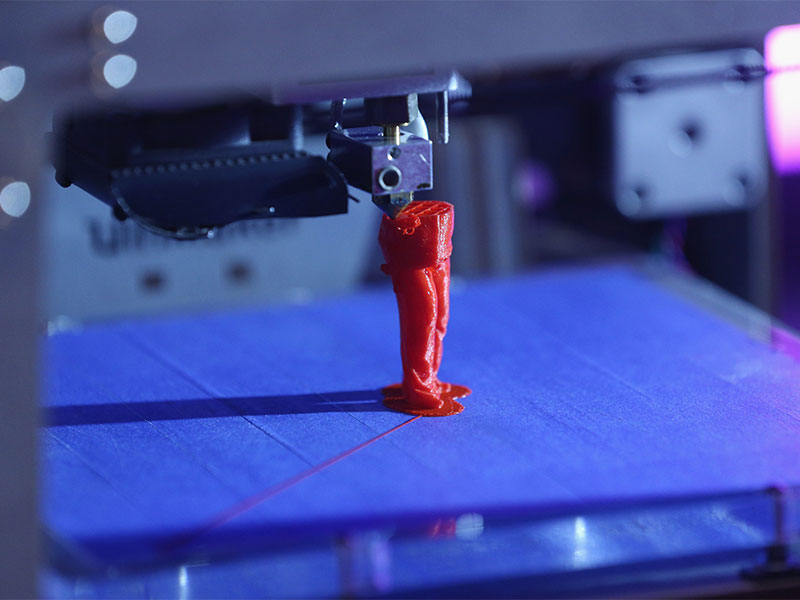
Effective support management is vital for successful prints with intricate features. Here’s how to approach it:
- Support placement: Use your slicer’s preview to identify where supports are truly needed. Avoid unnecessary supports to reduce cleanup.
- Support material: Consider using dissolvable supports (PVA or HIPS) if your printer supports dual extrusion. This can make post-processing much easier.
- Removal techniques: Use flush cutters, pliers, or specialty tools to carefully remove supports. For resin prints, a soak in isopropyl alcohol can help loosen supports.
- Sanding and finishing: Light sanding, priming, or vapor smoothing (for ABS) can dramatically improve surface quality.
For more advice on keeping your equipment in top shape, see these 3D printer maintenance tips.
Preventing Common Print Failures
Even with careful planning, issues can arise. Here are some troubleshooting tips for printing complex geometries:
- First layer adhesion: Ensure your bed is level and clean. Use adhesives like glue stick or hairspray if needed.
- Warping: Print with a brim or raft, and use an enclosure for temperature-sensitive materials.
- Layer shifting: Check belts and pulleys for tightness, and reduce print speed if necessary.
- Stringing and blobs: Adjust retraction and temperature settings to minimize these artifacts.
Advanced Tips for Mastering Difficult Prints
As you gain experience, consider these advanced techniques to further improve your results:
- Variable layer heights: Use adaptive slicing to apply finer layers only where needed, saving time without sacrificing detail.
- Custom supports: Manually place supports in your slicer for greater control over print quality and ease of removal.
- Multi-material printing: Combine rigid and flexible materials in a single print for functional assemblies.
- Monitor prints remotely: Use webcams and remote monitoring tools to catch failures early, especially on long or intricate jobs.
For a deeper dive into the fundamentals and advanced concepts, the comprehensive 3D printing guide from Hubs is an excellent resource.
FAQ: Printing Intricate 3D Models
What are the best materials for detailed 3D prints?
For high-detail work, resin materials (such as those used in SLA or DLP printers) are ideal due to their fine resolution and smooth finish. For FDM printers, PLA and PETG are popular for ease of use, while specialty filaments like nylon or polycarbonate are suitable for strong, functional parts.
How can I reduce support marks on my finished prints?
To minimize support scars, use interface layers in your slicer, lower support density, and consider using dissolvable supports if your printer supports them. Gentle sanding and post-processing can also help smooth out any remaining marks.
Why do my complex prints keep failing halfway through?
Mid-print failures can result from poor bed adhesion, mechanical issues (like loose belts), or insufficient cooling. Double-check your printer’s calibration, slow down print speeds, and ensure your model is properly supported throughout the build.
Conclusion
Successfully printing complex geometries is achievable with the right preparation, tools, and techniques. By focusing on smart design, careful material selection, and precise print settings, you can bring even the most ambitious ideas to life. Continue learning and experimenting, and don’t hesitate to consult resources on how to calibrate a 3D printer or explore new software to further refine your process.