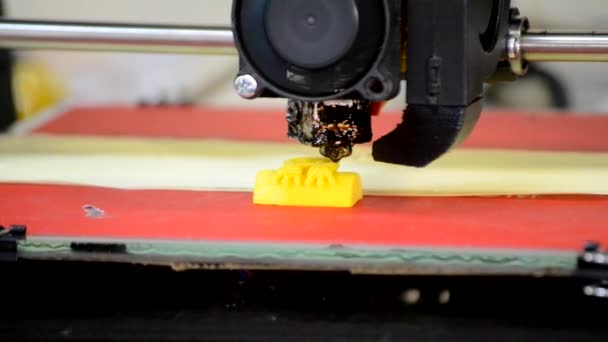
The world of open source 3D printing software has grown rapidly, offering a wide range of tools for hobbyists, educators, and professionals alike. Whether you’re just starting out with your first desktop printer or managing a fleet of machines in a production environment, choosing the right software can make a significant difference in your workflow and print quality. Open source solutions are particularly appealing because they are free to use, highly customizable, and supported by vibrant communities that drive innovation.
In this guide, we’ll explore the most popular open source applications for 3D modeling, slicing, and printer control. You’ll also find practical tips for selecting the right tool for your needs, along with resources for learning and troubleshooting. If you’re interested in advanced materials or sustainable practices, you may also want to check out our nylon 3D printing guide for deeper insights into specialty filaments.
Why Choose Open Source Tools for 3D Printing?
Open source platforms have become a cornerstone of the 3D printing community. Their main advantages include:
- Cost savings: Most open source programs are free, allowing users to experiment and iterate without licensing fees.
- Customization: Source code access means you can tweak features or add plugins to suit your workflow.
- Community support: Large user bases provide forums, documentation, and troubleshooting help.
- Rapid innovation: Frequent updates and new features are common as developers and users collaborate.
For those new to the technology, understanding the basics of additive manufacturing is helpful. A comprehensive overview can be found in this introduction to 3D printing technology.
Essential Categories of Open Source 3D Printing Software
The ecosystem of open source tools covers several key stages of the 3D printing process. These include:
- 3D modeling and CAD software: For creating or editing digital objects.
- Slicers: Convert 3D models into printer instructions (G-code).
- Printer host and control software: Manage print jobs, monitor progress, and adjust settings in real time.
Popular Open Source CAD and Modeling Programs
Designing objects from scratch or modifying existing models is the first step in any 3D printing workflow. Some of the most widely used open source modeling tools include:
- FreeCAD: A parametric 3D modeler ideal for engineering and technical projects. Its modular architecture supports plugins and scripting.
- Blender: While best known for animation and rendering, Blender’s mesh modeling tools make it a favorite for artistic and organic shapes.
- OpenSCAD: A script-based modeler for users who prefer coding their designs. Excellent for precise, programmable objects.
Each of these programs offers extensive documentation and active communities, making them accessible to both beginners and experienced users.
Open Source Slicers: Preparing Models for Printing
Slicers translate 3D models into the layer-by-layer instructions that printers understand. Leading open source slicers include:
- Cura: Developed by Ultimaker, Cura is user-friendly and supports a wide range of printers. Its plugin system and frequent updates make it a top choice for both new and advanced users.
- PrusaSlicer: Originally designed for Prusa printers, this slicer now supports many brands and offers advanced features like customizable supports and variable layer heights.
- Slic3r: One of the earliest open source slicers, Slic3r is known for its speed and detailed control over print settings.
These tools allow you to fine-tune print parameters such as layer height, infill, and support structures, which can greatly affect the quality and strength of your prints.

Printer Control and Monitoring Solutions
Managing your printer remotely or tracking print progress is easier than ever with open source host software. Notable options include:
- OctoPrint: A web-based interface for controlling and monitoring 3D printers. It supports plugins for camera monitoring, notifications, and advanced analytics.
- Repetier-Host: Offers a comprehensive interface for managing multiple printers, editing G-code, and real-time control.
These tools are especially useful for users running multiple machines or those who want to automate parts of their workflow.
Best Choices for Beginners and Advanced Users
Selecting the right open source solution depends on your experience level and project requirements. Here are some recommendations:
- For beginners: Cura and FreeCAD are excellent starting points due to their intuitive interfaces and extensive learning resources.
- For advanced users: PrusaSlicer and Blender offer powerful customization and scripting capabilities for complex projects.
- For automation and monitoring: OctoPrint is widely regarded as the go-to tool for remote management and print farm setups.
As you gain experience, you may find it valuable to experiment with combinations of these tools. For example, you might design in FreeCAD, slice with Cura, and monitor prints using OctoPrint.
Integrating Open Source Software with Advanced Materials
Many open source programs support a wide range of materials, from basic PLA to more advanced options like nylon, carbon fiber, and wood-filled filaments. If you’re interested in exploring specialty materials, our articles on sustainable 3D printing materials and carbon fiber 3D printing provide in-depth guidance on settings and best practices.
Slicers such as PrusaSlicer and Cura allow you to create custom material profiles, ensuring optimal print quality and strength for each filament type. This flexibility is especially important when working with challenging or eco-friendly materials.

Tips for Getting Started with Open Source 3D Printing Tools
To make the most of your software setup, consider these practical tips:
- Start simple: Choose one modeling tool and one slicer to avoid overwhelm. Master the basics before exploring advanced features.
- Leverage community resources: Forums, wikis, and YouTube tutorials are invaluable for troubleshooting and learning new techniques.
- Keep software updated: Regular updates bring new features, bug fixes, and improved compatibility with printers and materials.
- Experiment with settings: Small tweaks to layer height, temperature, or speed can have a big impact on print quality.
- Document your process: Keeping notes on successful settings and workflows helps streamline future projects.
As you progress, you might also want to explore advanced topics like metal powder printing or wood filament printing to expand your capabilities.
Frequently Asked Questions
What are the main benefits of using open source 3D printing software?
The primary advantages include cost savings, flexibility, and access to a supportive community. Users can modify the software to fit their needs, benefit from frequent updates, and avoid vendor lock-in.
Is open source software suitable for professional or industrial 3D printing?
Yes, many open source tools are robust enough for professional use. Advanced slicers and printer management platforms offer features like print farm management, custom scripting, and support for a wide range of materials, making them suitable for both prototyping and production.
Can I use open source programs with any 3D printer?
Most open source applications support a broad array of printers, especially those using standard G-code. However, some proprietary machines may require additional configuration or may not be fully compatible. Always check your printer’s documentation and community forums for compatibility tips.
How do I choose between different open source slicers?
Consider your experience level, the features you need, and your printer model. Beginners often prefer Cura for its simplicity, while advanced users may opt for PrusaSlicer or Slic3r for greater control and customization.
Where can I find help if I run into issues?
Most open source projects have active forums, Discord servers, and documentation wikis. Searching for your specific issue or posting a question will usually yield helpful responses from the community.