The world of home 3D printing has become more accessible than ever, allowing hobbyists, students, and creators to bring their ideas to life right from their own workspace. Whether you want to prototype inventions, craft custom parts, or simply explore a new technology, learning the basics of desktop additive manufacturing can open up a world of possibilities.
This guide covers the essential steps for getting started, from choosing your first printer to understanding materials, setup, and troubleshooting. You’ll also find practical tips and resources to help you avoid common pitfalls and make the most of your new equipment. If you encounter issues along the way, our 3D printing troubleshooting guide offers solutions for many beginner problems.
Choosing the Right 3D Printer for Home Use
Selecting your first printer is a critical step. There are two main types for home users: Fused Deposition Modeling (FDM) and resin (SLA/DLP) printers. FDM models are the most popular for beginners due to their affordability, ease of use, and wide material compatibility. Resin printers offer higher detail but require more post-processing and safety precautions.
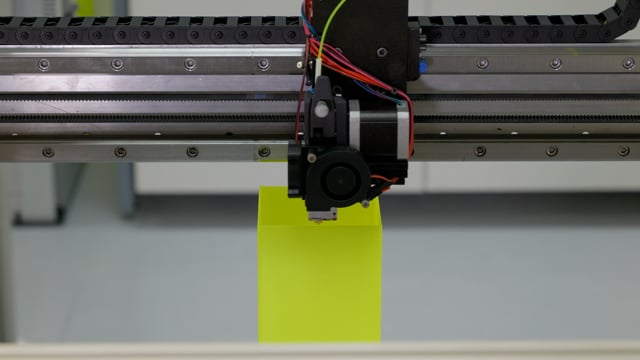
- FDM printers use spools of plastic filament, melting and extruding it layer by layer. They are great for functional parts, prototypes, and larger objects.
- Resin printers use liquid photopolymer cured by light. They excel at producing highly detailed miniatures, jewelry, and intricate models.
Consider your goals, budget, and available space. Entry-level FDM printers are often more forgiving for new users, while resin machines may appeal to those seeking fine detail. For a deeper dive into resin technology, see our resin 3D printing basics guide.
Essential Tools and Materials for Getting Started
Beyond the printer itself, a few basic supplies will help you succeed as you learn how to start 3D printing at home:
- Filament or resin: Choose PLA or PETG filament for FDM printers, or standard photopolymer resin for SLA/DLP machines.
- Build surface: Most printers include a heated bed or build plate; some users add adhesive sheets or glue sticks for better adhesion.
- Post-processing tools: For FDM, a spatula and needle-nose pliers are helpful. For resin, gloves, isopropyl alcohol, and a UV curing lamp are essential.
- Calipers: Useful for measuring parts and ensuring accuracy.
- Safety equipment: Always use gloves and proper ventilation, especially with resin printing.
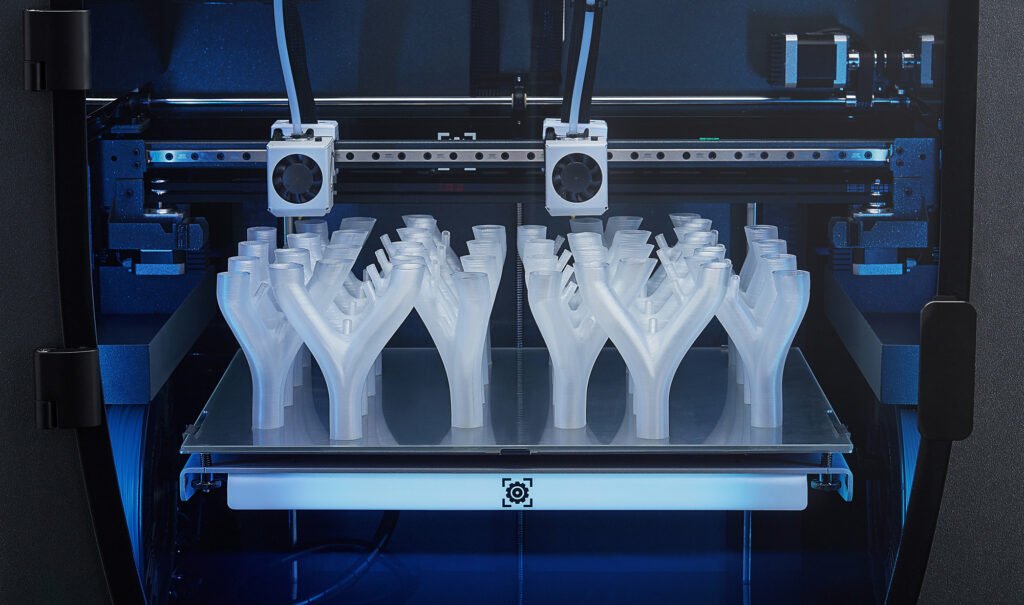
Setting Up Your First 3D Printer at Home
Once you’ve selected your equipment, it’s time to get everything ready for your first print. Most entry-level machines come partially assembled, but you’ll need to follow the manufacturer’s instructions carefully. Key steps include:
- Unboxing and assembly: Carefully unpack all components. Assemble the frame, attach the print head, and connect cables as directed.
- Leveling the bed: Proper bed leveling is crucial for print success. Many printers offer manual or automatic leveling routines. Take your time to ensure the nozzle is at the correct distance from the build surface.
- Loading material: Insert filament into the extruder (for FDM) or pour resin into the vat (for resin printers). Follow safety guidelines, especially when handling chemicals.
- Software setup: Install the recommended slicing software (such as Cura, PrusaSlicer, or Chitubox) on your computer. This software prepares 3D models for printing by generating the necessary instructions (G-code).
For more on working with plastics, see our plastic 3D printing guide.
Finding and Preparing 3D Models
Before you can print, you’ll need a digital model. Beginners often start by downloading free designs from online repositories such as Thingiverse or Printables. These files are typically in STL or OBJ format.
- Download a model: Choose a simple object for your first print, such as a calibration cube or phone stand.
- Slice the model: Open the file in your slicing software. Adjust settings like layer height, infill, and supports based on your printer and material.
- Save and transfer: Export the sliced file to an SD card or send it directly to your printer via USB or Wi-Fi, depending on your machine.
As you gain confidence, you may want to design your own models using CAD software like Tinkercad or Fusion 360.
Tips for Successful Home 3D Printing
Achieving consistent results with your desktop printer takes practice. Here are several tips to help you get the most out of your setup:
- Start with simple prints: Begin with small, uncomplicated models to learn the basics of your machine and software.
- Monitor the first layers: The first few layers are critical. Watch the printer closely at the start to ensure good adhesion and correct extrusion.
- Keep your printer clean: Regularly remove dust, filament debris, and spilled resin. Clean the build plate after each use.
- Update firmware and software: Manufacturers often release updates that improve performance and fix bugs.
- Join online communities: Forums and social media groups are valuable for troubleshooting and inspiration. If you want to learn about advanced techniques, SLS 3D printing explained covers selective laser sintering and its home applications.
Common Challenges and Troubleshooting
Even with careful setup, beginners may face issues like poor adhesion, stringing, or failed prints. Most problems can be solved by adjusting settings or performing routine maintenance. For example:
- Poor bed adhesion: Re-level the bed, clean the build surface, or use an adhesive aid.
- Stringing or blobs: Adjust retraction settings in your slicer and ensure filament is dry.
- Layer shifting: Check that belts and pulleys are tight and the printer is on a stable surface.
For a comprehensive list of solutions, refer to our 3D printing troubleshooting guide.
Expanding Your Skills and Exploring Advanced Techniques
As you become comfortable with the basics, you may want to experiment with new materials, multi-color printing, or even metal additive manufacturing. Our metal 3D printing process article explains how advanced users can create strong, functional metal parts at home or through service providers.
For further reading, the comprehensive 3D printing guide from Hubs offers detailed insights into technologies, materials, and best practices.
Frequently Asked Questions
What is the best type of 3D printer for beginners?
Most newcomers start with an FDM printer due to its affordability, ease of use, and wide material support. Resin printers are ideal for those who prioritize fine detail but require more careful handling and post-processing.
How much does it cost to begin 3D printing at home?
Entry-level FDM printers typically range from $150 to $400, while basic resin printers start around $200. Additional costs include filament or resin, tools, and safety equipment. Budgeting $300–$600 for your initial setup is realistic for most beginners.
Do I need special ventilation for 3D printing?
Good ventilation is recommended, especially when printing with ABS or resin, as fumes can be unpleasant or harmful. Printing in a well-ventilated room or using an enclosure with a filter can improve safety.
Where can I find troubleshooting help?
Many common issues are covered in our 3D printing troubleshooting guide, and online communities are also a great resource for support.