Achieving a flawless surface finish is a common goal for anyone working with 3D printed objects. Layer lines, rough textures, and small imperfections are typical results of the additive manufacturing process, especially with FDM and resin printers. Fortunately, there are a variety of effective post-processing methods that can transform rough prints into smooth, professional-looking parts. This guide breaks down the most reliable approaches, tools, and materials for refining your 3D creations.
Whether you’re printing functional prototypes, display models, or intricate art pieces, understanding how to smooth 3D prints can make a significant difference in both appearance and performance. Before diving into specific techniques, it’s helpful to consider how your design and file preparation impact the final result. For tips on optimizing your models before printing, check out 3D modeling tips for printing.
Understanding Surface Imperfections in 3D Printing
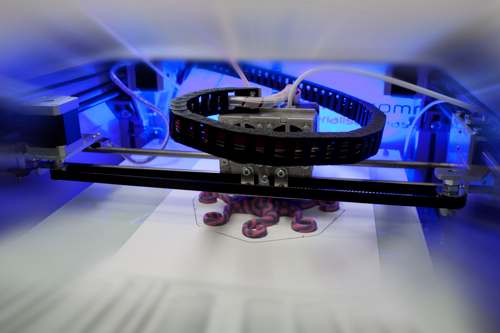
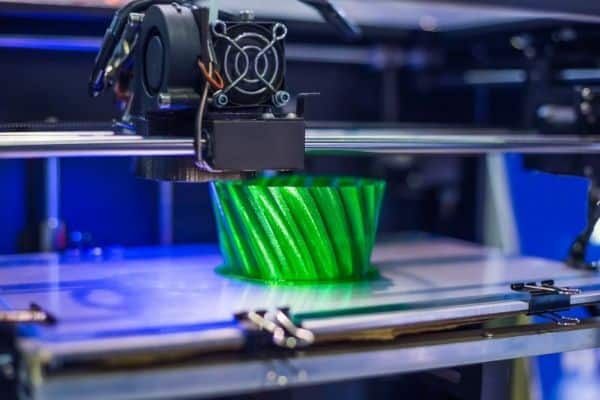
The visible lines and roughness on 3D printed objects are a direct result of the layer-by-layer fabrication process. Fused Deposition Modeling (FDM) printers, which extrude melted filament, tend to produce more noticeable ridges compared to resin-based printers. However, even resin prints can show minor artifacts, especially on complex geometries.
The choice of material, print settings, and model orientation all influence the final surface quality. While some imperfections can be minimized during the design and printing phase, post-processing remains essential for achieving a truly smooth finish.
Manual Smoothing: Sanding and Filing Techniques
One of the most accessible ways to refine 3D printed surfaces is through manual abrasion. Sanding and filing are suitable for both FDM and resin prints, and allow for precise control over the smoothing process.
- Sanding: Start with a coarse grit sandpaper (around 100–200 grit) to remove prominent layer lines. Progressively switch to finer grits (400, 800, 1000, or higher) for a polished surface. Wet sanding can help reduce dust and achieve a cleaner finish.
- Filing: Needle files or small hobby files are useful for reaching tight corners and intricate details. Use gentle, even strokes to avoid gouging the material.
Always wear a dust mask and work in a well-ventilated area, especially when sanding resin prints, as fine particles can be hazardous.
Chemical Smoothing Methods for 3D Prints
For certain materials, chemical treatments can dissolve or soften the outer layer of a print, resulting in a glossy and seamless finish. This approach is especially popular for ABS and resin prints.
Vapor Smoothing for ABS
Acetone vapor smoothing is a well-known method for ABS prints. The process involves exposing the object to acetone fumes in a controlled environment, which gently melts the surface and blends layer lines. Always use proper safety precautions, as acetone is flammable and produces strong fumes.
- Place the print in a sealed container with a small amount of acetone.
- Allow the fumes to work for 10–30 minutes, checking progress regularly.
- Let the print air out thoroughly before handling.
Resin Print Smoothing
Resin prints can be smoothed using isopropyl alcohol baths or by applying additional thin layers of resin and curing them. Some hobbyists also use specialized smoothing resins or coatings designed for SLA and DLP prints.
Filling and Priming: Preparing for Painting
For models that will be painted, filling and priming are crucial steps in the post-processing workflow. These techniques help mask minor imperfections and create a uniform surface.
- Filler Putty: Apply a thin layer of hobby putty or automotive filler to problem areas. Once dry, sand the surface smooth.
- Priming: Use a spray primer designed for plastics. Multiple thin coats work best, with light sanding between coats for optimal results.
This combination not only improves the look of your print but also enhances paint adhesion and durability.

Advanced Finishing: Painting and Polishing
Once your print is smooth and primed, painting and polishing can elevate it to a professional standard. Acrylic paints are commonly used for their ease of application and wide color range. For a glossy finish, consider applying a clear coat or using polishing compounds on the final layer.
- Painting: Apply multiple thin coats, allowing each to dry fully. Use masking tape for sharp color separations.
- Polishing: For certain plastics, plastic polish or even automotive polish can bring out a shine. Use a soft cloth and gentle pressure.
The right finishing steps can make your 3D printed parts indistinguishable from injection-molded or professionally manufactured items.
Tips for Better Results and Common Mistakes to Avoid
To get the most out of your post-processing efforts, keep these practical tips in mind:
- Always test new smoothing methods on a scrap piece before applying to your final model.
- Be patient—rushing sanding or chemical smoothing can damage details.
- Use proper safety gear, including gloves, eye protection, and masks when working with chemicals or fine dust.
- Choose the right method for your material; not all techniques are suitable for every type of filament or resin.
For those interested in exploring more about the technology and trends in additive manufacturing, this comprehensive overview of 3D printing offers valuable insights.
Frequently Asked Questions
What is the best way to smooth PLA prints?
PLA is best smoothed using manual sanding, starting with coarse grit and moving to finer grits. Chemical smoothing is less effective for PLA, as it does not react well to most solvents. Applying filler primer and sanding between coats can also help achieve a smooth finish.
Can I use acetone vapor smoothing on all 3D printed materials?
Acetone vapor smoothing is specifically effective for ABS and some similar plastics. It does not work on PLA, PETG, or most resins. Always check your filament type before attempting chemical smoothing.
How do I avoid losing fine details when smoothing prints?
Use gentle sanding and avoid excessive abrasion, especially on detailed areas. When using chemical smoothing, monitor the process closely and remove the print as soon as the surface begins to blend. Applying thin layers of filler or primer can help preserve details while hiding minor imperfections.
Are there ways to minimize post-processing work before printing?
Yes, optimizing your model and print settings can reduce the need for extensive finishing. Use higher resolution settings, orient your model to minimize visible layer lines, and ensure your printer is well-calibrated. For more advice, see how to design for 3D printing.