Achieving smooth, accurate results with 3D printing can be challenging, especially when dealing with warping. This common issue causes the edges or corners of a print to lift from the build plate, leading to failed prints and wasted material. Understanding how to prevent warping in prints is crucial for anyone looking to produce high-quality models, whether for prototyping, hobby projects, or professional manufacturing.
Warping is influenced by several factors, including material choice, print settings, and environmental conditions. By addressing these variables, you can significantly reduce the risk of deformation and improve your overall printing success rate. In this guide, you’ll find practical strategies and proven techniques to help you achieve reliable, warp-free results.
For those interested in tackling more advanced challenges, such as printing complex geometries, mastering the basics of warping prevention is an essential first step.
Understanding Why 3D Prints Warp
Before diving into solutions, it’s important to know what causes prints to deform. Warping typically occurs due to uneven cooling of the printed material. As the filament cools, it contracts. If the bottom layers cool faster than the upper layers, tension builds up, pulling the edges upward and away from the build surface.
This phenomenon is especially common with materials like ABS, which have higher shrinkage rates than PLA or PETG. Environmental factors, such as drafts or low ambient temperatures, can also exacerbate the problem.
Material Selection and Its Impact on Warping
The type of filament you use plays a significant role in minimizing deformation. PLA is known for its low shrinkage and is generally easier to print without warping. ABS, on the other hand, is more prone to lifting and curling due to its higher thermal contraction.
- PLA: Low risk of warping, suitable for beginners and most general-purpose prints.
- ABS: Requires careful temperature control and often benefits from an enclosed print chamber.
- PETG: Offers a balance between strength and printability, with moderate resistance to warping.
If you’re unsure which filament to choose, consider starting with PLA to reduce the likelihood of print failures.
Optimizing Bed Adhesion to Prevent Lifting
One of the most effective ways to combat warping is to improve the adhesion between the first layer and the build surface. Here are several proven methods:
- Clean the Bed Surface: Remove dust, grease, and residue using isopropyl alcohol.
- Use Adhesives: Apply glue stick, painter’s tape, or specialized print bed adhesives to enhance grip.
- Adjust Bed Temperature: Set the heated bed to the recommended temperature for your filament. For ABS, a bed temperature of 100–110°C is common, while PLA typically prints well at 50–60°C.
- Level the Bed: Ensure the build plate is level and the nozzle is at the correct distance from the surface. Too much gap can cause poor adhesion, while too little can block extrusion.
Consistently applying these steps will help your prints stay firmly attached throughout the process.
Printer Settings That Help Avoid Warping
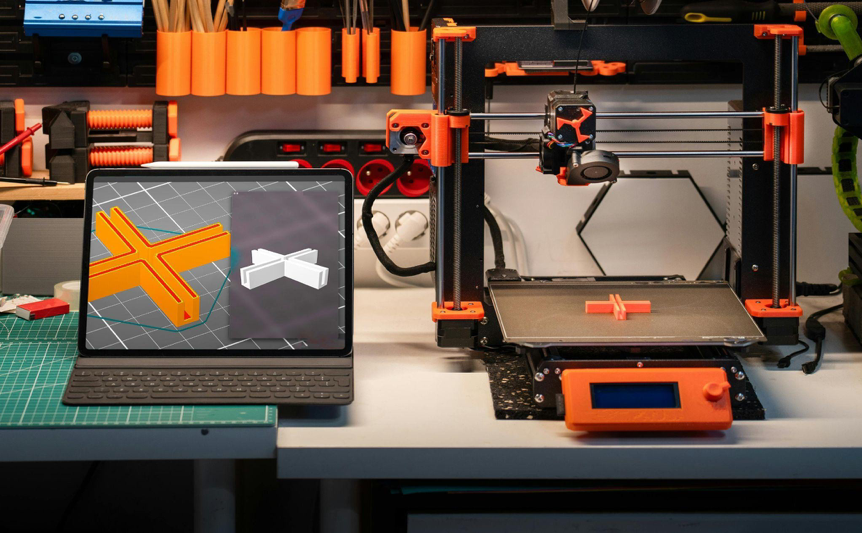
Fine-tuning your printer’s settings can make a significant difference in reducing warping. Here are some adjustments to consider:
- First Layer Height: Printing the first layer slightly thicker and slower improves adhesion and compensates for minor bed imperfections.
- Print Speed: Slower speeds for initial layers allow the filament to bond more effectively with the bed.
- Fan Control: Disabling or reducing the part cooling fan for the first few layers helps maintain even temperatures and prevents premature cooling.
- Brims and Rafts: Adding a brim or raft increases the surface area of the first layer, anchoring the print more securely.
Many slicing software packages offer these settings, making it easy to experiment and find what works best for your printer and material.
Environmental Factors and Enclosures
The environment around your 3D printer can greatly influence print quality. Sudden temperature changes, drafts, or low ambient temperatures can cause uneven cooling and increase the risk of warping.
- Use an Enclosure: Printing inside an enclosure helps maintain a stable temperature and shields the print from drafts.
- Control Room Temperature: Keep the printing area warm and free from sudden air movement.
- Preheat the Printer: Allow the printer and bed to reach the desired temperature before starting the print.
These steps are especially important when working with high-shrinkage materials like ABS or nylon.
Design Considerations for Warp-Free Prints
The way a model is designed can also impact its tendency to warp. Large, flat surfaces are more susceptible to lifting, while rounded or chamfered edges are less likely to deform.
- Add Fillets or Chamfers: Rounding the corners of your model distributes stress more evenly.
- Minimize Large Flat Areas: Break up big surfaces with holes or ribs to reduce shrinkage forces.
- Orient the Model: Position the part so that the smallest surface area is in contact with the bed.
For more on optimizing your models for printing, see our guide on how to design for 3D printing.
Additional Tips and Resources
Staying up to date with the latest techniques and understanding the basics of additive manufacturing can further improve your results. For a comprehensive overview of the technology, visit this introduction to 3D printing.
If you’re interested in learning about file compatibility and best practices, our article on 3D printing file formats explained is a helpful resource.
Frequently Asked Questions
What is the most common cause of warping in 3D prints?
The primary cause is uneven cooling of the printed material, which leads to contraction and pulling up of the edges from the build plate. This is especially prevalent with materials that have high shrinkage rates, such as ABS.
How can I improve bed adhesion for my prints?
To enhance adhesion, clean the build surface thoroughly, use adhesives like glue stick or painter’s tape, adjust the bed temperature, and ensure the bed is level. Printing a brim or raft can also help anchor the model.
Do enclosures really help with warping?
Yes, using an enclosure helps maintain a stable temperature around the print, reducing the risk of warping caused by drafts or sudden temperature changes. This is particularly important for materials like ABS and nylon.