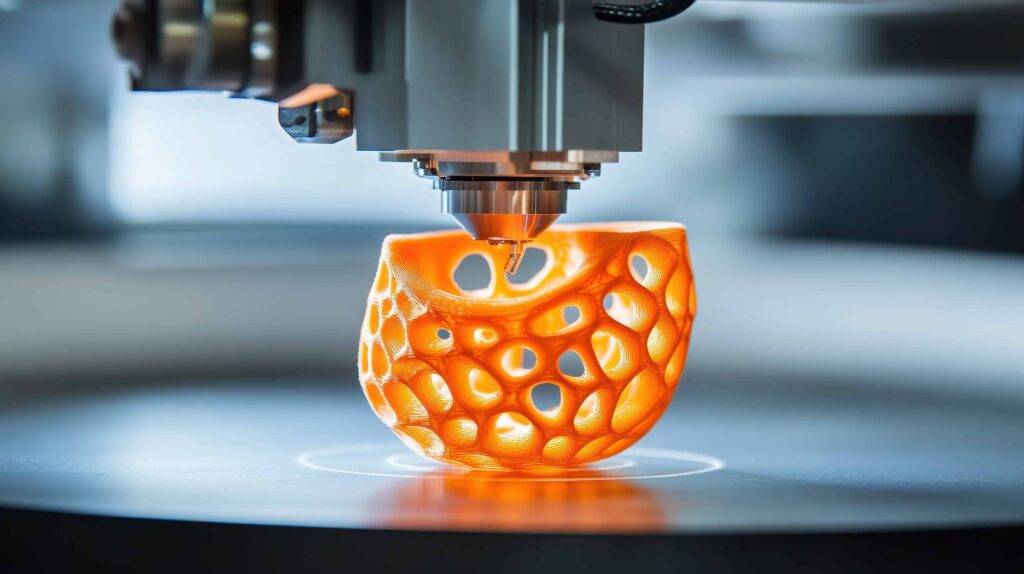
Creating objects for additive manufacturing requires a unique approach compared to traditional design. Whether you’re new to the process or looking to refine your skills, understanding how to design for 3D printing is essential for achieving reliable, high-quality results. This guide covers the most important considerations, from model preparation to material selection, and offers practical advice for both beginners and experienced users.
As you explore the world of digital fabrication, you’ll encounter a range of software tools, hardware options, and best practices. For those interested in the software side, resources like open source 3D printing software can help you get started with accessible and flexible modeling platforms.
Understanding the Basics of 3D Model Design
Before diving into advanced techniques, it’s important to grasp the fundamentals of digital modeling for additive manufacturing. Unlike designs intended for injection molding or CNC machining, models for 3D printing must be optimized for the layer-by-layer construction process.
- Watertight Geometry: Ensure your model is a closed, manifold mesh with no holes or non-manifold edges. This prevents slicing errors and failed prints.
- Wall Thickness: Maintain a minimum wall thickness suitable for your printer and material. Thin walls can lead to fragile parts or incomplete prints.
- Overhangs and Supports: Consider how your model will be built up layer by layer. Features that extend horizontally may require support structures, which can affect surface finish and post-processing time.
For a deeper look at how these machines operate and why design choices matter, see this detailed explanation of 3D printer mechanics.
Key Principles for Designing Printable Models
Applying certain principles during the modeling stage can greatly improve print success and reduce frustration. Here are some essential tips for optimizing your files:
Choose the Right Orientation
The way a model is oriented on the build plate affects strength, surface quality, and the need for supports. Orienting parts to minimize overhangs and maximize contact with the build surface can lead to cleaner results and less post-processing.
Account for Material Properties
Different materials behave in unique ways. For example, PLA is easy to print but can be brittle, while ABS is tougher but prone to warping. When designing, factor in shrinkage, flexibility, and layer adhesion. If you’re working with resins, be sure to review resin printing safety guidelines to ensure safe handling and optimal outcomes.
Incorporate Tolerances and Clearances
Moving parts or assemblies require precise gaps to function after printing. Add extra space between components to account for printer accuracy and material expansion. As a rule of thumb, a clearance of 0.2–0.5 mm is a good starting point, but always test with your specific setup.

Preparing Files for Additive Manufacturing
Once your model is complete, the next step is preparing it for printing. This involves exporting the design in a compatible format (typically STL or OBJ), checking for errors, and slicing the file for your specific printer.
- Check for Non-Manifold Edges: Use your modeling software’s analysis tools to identify and repair any problematic geometry.
- Scale Appropriately: Confirm that your model dimensions match the intended real-world size and fit within your printer’s build volume.
- Optimize for Slicing: Some slicers struggle with overly complex meshes. Simplify geometry where possible to speed up slicing and reduce print errors.
Choosing the right slicing software can make a significant difference in print quality. For a comparison of popular options, explore this overview of the best slicer software for 3D printing.
Common Pitfalls and How to Avoid Them
Even experienced designers encounter challenges when preparing models for additive manufacturing. Here are some frequent issues and strategies to prevent them:
- Unsupported Overhangs: Large horizontal features may droop or fail without adequate supports. Redesign to reduce overhangs or split the model into multiple parts.
- Thin Features: Elements thinner than your printer’s minimum resolution may not print at all. Increase wall thickness or reinforce delicate areas.
- Warping and Shrinkage: Materials like ABS are prone to warping. Use brims, rafts, or enclosures to stabilize prints and adjust your design to minimize large flat surfaces.
- Poor Bed Adhesion: Ensure the first layer has sufficient contact with the build plate. Consider adding a brim or raft in your slicer settings.
Post-Processing and Finishing Touches
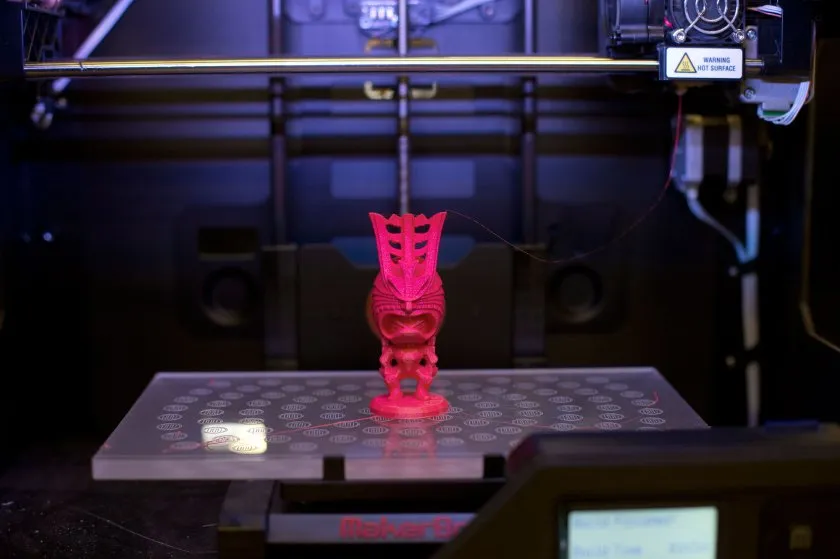
After printing, most models benefit from some degree of post-processing. The steps required depend on your chosen material and printer type, but common finishing techniques include:
- Support Removal: Carefully detach any support structures, using pliers or cutters as needed.
- Sanding and Smoothing: Use fine-grit sandpaper to smooth rough surfaces, especially on FDM prints.
- Priming and Painting: Apply primer before painting for a professional finish. Acrylic paints work well on most plastics.
- Assembly: For multipart designs, test fit components and use adhesives or fasteners as required.
Regular upkeep of your equipment is also crucial for consistent results. For practical advice, check out these 3D printer maintenance tips to keep your machine in top condition.
Advanced Strategies for Reliable Prints
As you gain experience, you can incorporate more advanced techniques into your workflow:
- Design for Assembly: Break complex models into smaller, printable parts that can be assembled after printing. This approach allows for larger, more detailed objects and easier troubleshooting.
- Use of Custom Supports: Instead of relying solely on automatic supports, design custom support structures that are easier to remove and minimize surface blemishes.
- Iterative Prototyping: Print small test sections or scaled-down versions to check fit and function before committing to a full-size print.
- Calibration: Regularly calibrate your printer for optimal accuracy. For step-by-step instructions, see this guide on how to calibrate a 3D printer.
Frequently Asked Questions
What file format should I use for 3D printing?
The most common file format is STL, which represents the surface geometry of your model. OBJ files are also widely supported and can include color and texture information. Always check your printer’s documentation for compatibility.
How can I prevent my prints from warping?
Warping is often caused by uneven cooling or poor bed adhesion. To minimize this, use a heated bed, print with brims or rafts, and avoid large flat surfaces when possible. Adjusting your design and printer settings can also help.
Do I need to use supports for every model?
Supports are only necessary for overhangs that exceed your printer’s capability (typically angles greater than 45 degrees). By designing with self-supporting angles and proper orientation, you can often reduce or eliminate the need for supports.
Which software is best for beginners?
There are many user-friendly modeling and slicing programs available. Tinkercad, Fusion 360, and PrusaSlicer are popular choices. For those interested in open source options, refer to resources on open source 3D printing software.
Conclusion
Mastering how to design for 3D printing involves understanding the unique requirements of additive manufacturing, optimizing your models for printability, and continually refining your process. By following these guidelines and leveraging the right tools, you’ll be well-equipped to create reliable, high-quality prints for any application.