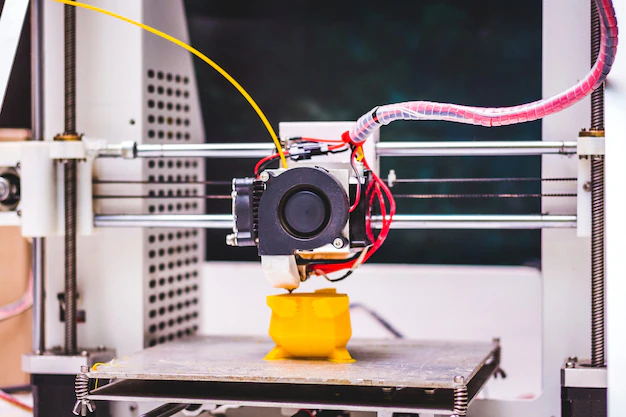
Dual extrusion 3D printing has opened up new possibilities for creators, engineers, and hobbyists by allowing the combination of multiple materials or colors in a single print. This approach is ideal for producing complex prototypes, functional parts with integrated supports, or visually striking models that require more than one filament type. However, working with two extruders introduces unique challenges, from material compatibility to print calibration. This guide offers practical advice for anyone looking to get the most out of their multi-material printing projects.
If you’re interested in mastering advanced techniques, such as printing complex geometries, or want to understand the basics of preparing your files, exploring resources on 3D printing file formats explained can be a helpful next step.
Understanding Multi-Material 3D Printing
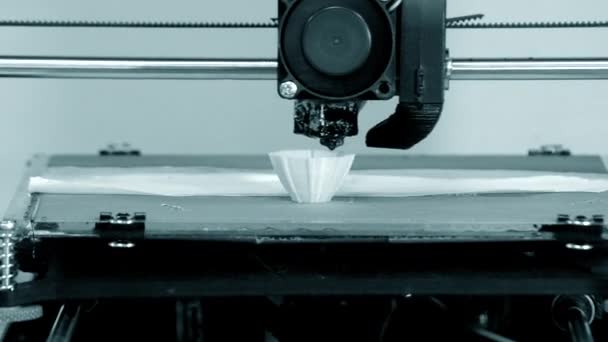
At its core, dual extrusion involves a 3D printer equipped with two separate extruders and hotends. This setup allows the printer to deposit two different filaments—either distinct colors, materials, or both—within the same print job. The most common applications include:
- Combining rigid and flexible materials for functional prototypes
- Printing soluble supports for complex overhangs and intricate designs
- Creating visually appealing models with multiple colors or textures
Before diving into a multi-material project, it’s important to understand the strengths and limitations of your printer and the materials you plan to use. Not all filaments are compatible, and some may require specific temperature settings or print environments.
Choosing the Right Materials for Dual Extrusion
Selecting compatible filaments is crucial for successful multi-material prints. Here are some key considerations:
- Temperature compatibility: Both filaments should have similar extrusion and bed temperatures to avoid warping or poor adhesion.
- Material properties: Consider how the materials interact—some combinations, like PLA and PVA, are popular because PVA is water-soluble and ideal for supports.
- Adhesion and separation: If you want the materials to bond, choose types that adhere well together. For easy separation, opt for filaments that don’t fuse.
Common combinations include PLA with PVA (for soluble supports), ABS with HIPS, or two different colors of the same material for visual effects. Testing on a small scale before committing to a large project can help avoid wasted time and filament.
Preparing Your Model for Multi-Material Printing
Designing or sourcing a model suitable for two-material printing is a critical step. Most slicer software supports assigning different parts of a model to each extruder, but the model itself must be split into separate meshes or have clear material assignments.
- Use CAD or 3D modeling software to separate components intended for each material.
- Export your model as multiple STL or OBJ files, one for each material.
- Import and align the files in your slicer, assigning each to the correct extruder.
For more on optimizing your designs, check out these 3D modeling tips for printing and advice on how to design for 3D printing.
Printer Setup and Calibration for Dual Extrusion
Achieving high-quality results with dual extrusion requires careful printer setup. Here’s what to focus on:
- Nozzle alignment: Both nozzles must be precisely leveled to avoid collisions or uneven layers.
- Extruder offsets: Configure the X and Y offsets in your slicer to ensure perfect alignment between materials.
- Retraction settings: Proper retraction is essential to minimize oozing and color mixing at material boundaries.
- Prime towers and wipe walls: Enable these features in your slicer to purge and clean nozzles between material changes, reducing contamination.
Regular maintenance, such as cleaning nozzles and checking for clogs, is especially important when working with multiple filaments.
Optimizing Print Settings for Multi-Material Success
Fine-tuning your slicer settings is vital for dual extrusion projects. Here are some adjustments to consider:
- Temperature tuning: Set each extruder to the optimal temperature for its filament. Avoid overheating to reduce stringing and oozing.
- Bed adhesion: Use adhesives or textured build plates to ensure both materials stick well, especially if their properties differ.
- Print speed: Slower speeds can improve layer bonding and reduce defects at material transitions.
- Cooling: Adjust fan settings to suit each material, as some require more cooling than others for best results.
Most slicers offer presets for popular material combinations. Start with these and make incremental changes based on your results.
Troubleshooting Common Dual Extrusion Issues
Even experienced users encounter challenges with multi-material printing. Here are some frequent problems and solutions:
- Oozing and color mixing: Increase retraction distance and enable wipe towers to reduce unwanted blending.
- Poor adhesion between materials: Check temperature compatibility and consider using adhesives or modifying the model for better interlocking.
- Misaligned prints: Recalibrate extruder offsets and ensure the model is properly aligned in the slicer.
- Clogged nozzles: Regularly clean hotends, especially when using soluble or specialty filaments.
Patience and experimentation are key. Keep detailed notes of your settings and outcomes to refine your process over time.
Advanced Applications and Resources
Multi-material 3D printing isn’t limited to just two colors or basic supports. Advanced users are leveraging dual extrusion for:
- Creating integrated hinges, gaskets, or overmolds in a single print
- Combining conductive and insulating materials for functional electronics
- Producing architectural models with transparent and opaque elements
For those interested in professional-grade equipment, you can explore a range of industrial 3D printers and solutions for advanced applications.
As you gain experience, you may want to experiment with more complex models or even design your own. Beginners can benefit from guides like CAD for 3D printing beginners to get started with model creation.
Frequently Asked Questions
What types of filaments work best together in dual extrusion?
The most reliable combinations are those with similar melting points and bed adhesion properties, such as PLA with PVA (for soluble supports) or ABS with HIPS. Always check manufacturer recommendations and test compatibility before starting a large print.
How do I avoid color mixing and oozing between materials?
Use prime towers and wipe walls in your slicer to purge nozzles between material changes. Increase retraction settings and lower print temperatures if possible. Regular nozzle cleaning also helps prevent contamination.
Can I use dual extrusion for flexible and rigid parts in one print?
Yes, combining flexible (like TPU) and rigid (like PLA or ABS) filaments is possible, but requires careful calibration. Ensure both materials adhere well to the bed and to each other, and adjust print speeds to accommodate the more challenging filament.