3D printing has become increasingly accessible, allowing hobbyists, professionals, and businesses to create complex objects with ease. However, even experienced users encounter common 3D printing mistakes that can lead to failed prints, wasted materials, and frustration. Understanding these pitfalls and learning how to prevent them is essential for achieving consistent, high-quality results.
Whether you’re new to additive manufacturing or looking to refine your process, this guide will walk through the most frequent errors, their causes, and practical solutions. For those interested in optimizing their designs from the start, check out these 3D printing design tips to complement the troubleshooting advice below.
Understanding Print Bed Adhesion Issues
One of the most frequent challenges in desktop fabrication is poor bed adhesion. When the first layer does not stick properly, prints may warp, shift, or fail entirely. This is especially true for larger objects or those with a small contact area.
- Level the bed: Ensure your print bed is flat and level. Many printers offer auto-leveling, but manual checks are still valuable.
- Clean the surface: Oils, dust, or leftover filament can prevent proper adhesion. Wipe the bed with isopropyl alcohol before each print.
- Adjust first layer settings: Lower the print speed and increase the extrusion width for the initial layer. A slightly higher bed temperature can also help.
- Use adhesion aids: Blue painter’s tape, glue stick, or specialized build surfaces can improve grip for challenging materials.
Preventing Warping and Curling
Warping occurs when the edges of a print lift off the bed, often due to uneven cooling or material shrinkage. This is a common frustration, particularly with ABS and other high-shrinkage plastics.
- Enclose your printer: A closed environment helps maintain consistent temperatures and reduces drafts.
- Optimize bed temperature: Set the bed temperature according to the filament manufacturer’s recommendations.
- Slow down cooling: Reduce or disable part cooling fans for the first few layers, especially with ABS.
- Design with fillets: Rounded corners are less prone to lifting than sharp edges.
Dealing with Under-Extrusion and Over-Extrusion
Inconsistent extrusion can lead to weak prints, gaps, or excessive material buildup. Under-extrusion results in missing layers or thin walls, while over-extrusion causes blobs and stringing.
- Calibrate your extruder: Measure and set the correct steps/mm for your printer’s extruder.
- Check filament diameter: Input the actual diameter of your filament in your slicer for accurate flow rates.
- Maintain your nozzle: Clogs and partial blockages can restrict flow. Regularly clean or replace the nozzle as needed.
- Adjust temperature: Printing too cold can cause under-extrusion; too hot can result in oozing and over-extrusion.
Layer Shifting and Mechanical Problems
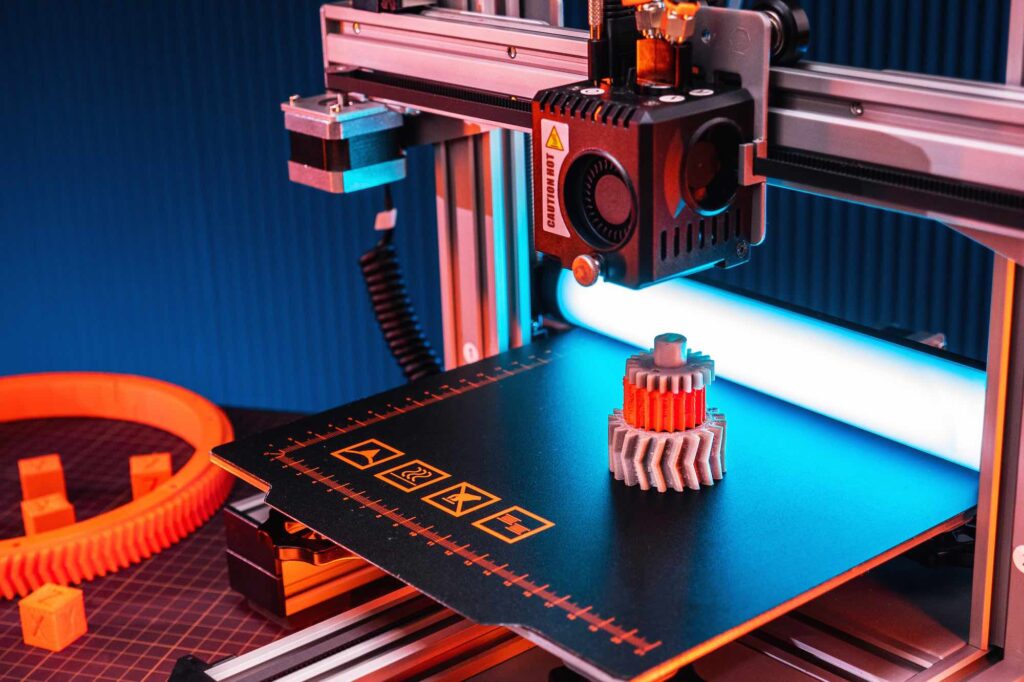
If your prints suddenly shift mid-way, resulting in misaligned layers, the cause is usually mechanical. Loose belts, stepper motor issues, or obstructions can all contribute to this problem.
- Tighten belts and pulleys: Regularly inspect and tighten all moving parts.
- Lubricate rails: Dry or dirty rails can cause resistance and missed steps.
- Check for obstructions: Ensure cables and debris are clear of the moving print head.
- Monitor stepper drivers: Overheating or insufficient current can cause motors to skip steps.
Print Quality Issues: Stringing, Blobs, and Gaps
Achieving smooth, detailed prints requires fine-tuning. Common quality issues include stringing (thin hairs between parts), blobs, and surface gaps.
- Enable retraction: Proper retraction settings pull filament back during travel moves, reducing stringing.
- Lower print temperature: High temperatures increase oozing and stringing.
- Increase travel speed: Faster travel reduces the chance for filament to ooze out.
- Check for moisture: Wet filament can cause popping, gaps, and poor surface finish. Store filament in a dry box or use a filament dryer.
Material Selection and Storage Mistakes
Choosing the right material and storing it properly is crucial for reliable results. Each filament type has unique properties and storage needs.
- Match material to application: PLA is easy to print but not heat-resistant; ABS is tougher but prone to warping; PETG offers a balance of strength and ease.
- Store filament dry: Many materials absorb moisture, which can cause print defects. Use airtight containers with desiccant packs.
- Check compatibility: Ensure your printer supports the material’s required temperatures and settings.
- Refer to guides: For more on plastics, see the plastic 3D printing guide for detailed advice on materials and techniques.
Software and Slicing Errors
Mistakes in the slicing process can lead to unexpected results, such as missing supports, incorrect layer heights, or poor infill.
- Preview your G-code: Always use the slicer’s preview to check for errors before printing.
- Update your slicer: New versions often fix bugs and improve print quality.
- Use recommended profiles: Start with manufacturer profiles for your printer and filament, then fine-tune as needed.
- Double-check support settings: Ensure supports are enabled for overhangs and bridges.
Advanced Troubleshooting and Resources
For persistent or complex problems, consult your printer’s documentation and online communities. Manufacturers like Formlabs offer a range of professional 3D printers and resources that can help you troubleshoot or upgrade your setup.
If you’re interested in exploring other technologies, such as selective laser sintering, the SLS 3D printing explained article covers process details, materials, and best practices. For those working with resins, the resin 3D printing basics guide is a valuable resource for techniques and safety.
FAQ: Troubleshooting and Avoiding 3D Printing Pitfalls
What is the most frequent cause of failed 3D prints?
The most common reason for failed prints is poor bed adhesion. If the first layer does not stick properly, the print can warp, shift, or detach completely. Ensuring a clean, level bed and using appropriate adhesion aids can greatly reduce this issue.
How can I prevent stringing and blobs on my prints?
Stringing and blobs are often caused by incorrect retraction settings or printing at too high a temperature. Enabling retraction, lowering the print temperature, and increasing travel speed can help minimize these artifacts. Also, make sure your filament is dry and your nozzle is clean.
Why does my 3D printer skip layers or shift mid-print?
Layer shifting is usually due to mechanical issues such as loose belts, stepper motor problems, or obstructions in the printer’s movement. Regular maintenance, including tightening belts and lubricating rails, is essential for smooth operation.
What should I do if my prints keep warping?
Warping can be minimized by using an enclosed printer, optimizing bed and ambient temperatures, and designing parts with rounded corners. For materials prone to warping, such as ABS, reducing cooling and increasing bed adhesion are effective strategies.
Where can I find more information on advanced 3D printing techniques?
For deeper insights, explore resources on metal 3D printing process and other advanced topics. Manufacturer websites and community forums are also excellent places to find troubleshooting advice and new techniques.