The world of additive manufacturing has transformed how products, prototypes, and creative projects are brought to life. While owning a 3D printer opens up endless possibilities, the real challenge lies in designing models that print reliably and look great. Whether you are a hobbyist, engineer, or entrepreneur, understanding the fundamentals of 3D printing design tips can make the difference between a failed print and a finished masterpiece.
This guide covers essential strategies for preparing digital models, optimizing geometry, and choosing the right settings for your printer. By following these best practices, you’ll improve print quality, reduce wasted material, and get more consistent results. If you’re interested in the history of 3D printing, you’ll appreciate how far design tools and techniques have come.
Understanding the Basics of 3D Model Preparation
Before sending a file to your printer, it’s crucial to ensure your design is optimized for additive manufacturing. The process begins with a digital model, typically created in CAD software or downloaded from online repositories. However, not all digital files are ready for printing out of the box.
- Check for watertight geometry: Your 3D model should be a closed, manifold mesh with no holes or non-manifold edges. This prevents slicing errors and ensures the printer can interpret the shape correctly.
- Optimize wall thickness: Thin walls can lead to fragile prints or incomplete layers. Most printers perform best with walls at least 1–2 mm thick, but always check your printer’s specifications.
- Orient your model for success: The orientation of your part on the build plate affects strength, surface finish, and the need for supports. Positioning flat surfaces on the bed and minimizing overhangs can reduce print time and improve results.
For a deeper dive into how these machines function, the Department of Energy’s explanation of 3D printer mechanics is a helpful resource.
Key 3D Printing Design Tips for Reliable Results
Applying the right 3D printing design tips during the modeling stage can prevent headaches later. Here are some proven strategies to improve your print outcomes:
1. Minimize Overhangs and Bridges
Overhangs are sections of your model that extend beyond the previous layer without support. Most printers can handle overhangs up to 45 degrees, but steeper angles may require additional supports or result in sagging. If your design needs bridges (horizontal spans between two points), keep them short and consider adding fillets or chamfers to ease the transition.
2. Use Fillets and Chamfers Instead of Sharp Edges
Sharp corners can create stress concentrations and may not print cleanly, especially with FDM printers. Adding fillets (rounded edges) or chamfers (beveled edges) improves strength and aesthetics. This is especially important for functional parts that will experience mechanical loads.
3. Consider Layer Height and Detail Level
The layer height you choose affects both the resolution and speed of your print. Finer layers produce smoother surfaces but take longer to print. When designing, match your model’s detail level to your printer’s capabilities. For intricate features, resin printers (SLA) can achieve higher resolution than FDM machines. For more on the differences between these technologies, see our guide on FDM vs SLA printing.
Material Selection and Print Settings
The type of filament or resin you use has a significant impact on design choices. PLA is forgiving and easy to print, making it ideal for beginners. ABS and PETG offer greater strength and heat resistance but may require enclosed printers or higher temperatures. Resin materials provide fine detail but can be brittle.
- Match material to purpose: Choose a material that suits the mechanical, thermal, and aesthetic needs of your part.
- Adjust infill and shell settings: Increasing infill density and wall count improves strength but uses more material. For decorative items, low infill is usually sufficient.
- Calibrate your printer: Regularly check bed leveling, nozzle temperature, and extrusion rates. Even the best design can fail if the printer isn’t properly tuned.
Advanced Design Strategies for Additive Manufacturing
As you gain experience, you can leverage advanced techniques to push the limits of what’s possible with 3D printing. These methods can help you create lighter, stronger, and more complex parts.
Embrace Lattice Structures and Internal Features
Instead of solid infill, consider using lattice or honeycomb structures within your model. These patterns reduce weight and material usage while maintaining strength. Some CAD programs offer tools for generating these features automatically.
Design for Post-Processing
Many prints benefit from sanding, painting, or assembly after printing. Plan for these steps by including alignment features, snap fits, or holes for fasteners in your model. This can make post-processing easier and improve the final appearance.
Split Large Models into Sections
If your design exceeds your printer’s build volume, divide it into smaller parts that can be assembled later. Use alignment pins or dovetail joints to ensure accurate assembly. This approach also makes it easier to print complex shapes without excessive supports.

Common Pitfalls and How to Avoid Them
Even experienced users encounter issues from time to time. Here are some frequent mistakes and how to sidestep them:
- Ignoring printer limitations: Always check your printer’s maximum build size, minimum feature size, and supported materials before finalizing your design.
- Skipping test prints: For complex or functional parts, print a small section or scaled-down version first. This helps catch issues early and saves material.
- Overlooking support removal: Design supports to be easy to remove without damaging your part. Consider using breakaway or soluble supports if your printer supports them.
For more insights into the benefits of 3D printing and how it can accelerate prototyping and production, explore our related articles.
Frequently Asked Questions
What file format should I use for 3D printing?
The most common file format is STL, which represents the surface geometry of your model. Some printers and slicers also support OBJ or 3MF files, which can include color and material information. Always check your printer’s documentation for supported formats.
How can I make my 3D prints stronger?
To increase strength, use thicker walls, higher infill density, and more perimeters (shells). Choosing the right material, such as PETG or ABS, and orienting your model to align with load directions also helps. Adding fillets to sharp corners can reduce stress concentrations.
What’s the difference between FDM and resin printing for design?
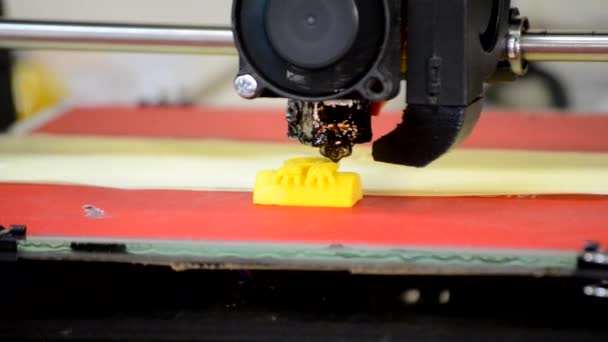
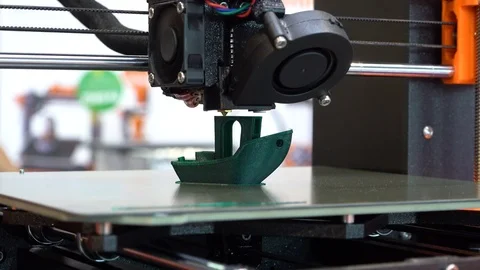
FDM printers build objects by extruding melted filament layer by layer, making them ideal for larger, less detailed parts. Resin printers (SLA or DLP) use light to cure liquid resin, producing finer details and smoother surfaces. The choice depends on your design’s complexity and required finish. For a detailed comparison, see our article on FDM vs SLA printing.
Conclusion
Mastering 3D printing design tips is key to achieving consistent, high-quality results. By focusing on model preparation, understanding printer capabilities, and applying advanced techniques, you’ll unlock the full potential of additive manufacturing. As technology evolves, staying updated with the latest methods and materials will keep your projects on the cutting edge. For insights into what’s next, check out the future of 3D printing and explore the different types of 3D printing technologies available today.