Regular care is essential for any 3D printer, whether you’re a hobbyist or running a small production setup. Neglecting upkeep can lead to print failures, poor surface quality, or even hardware damage. By following a few straightforward routines, you can extend the life of your equipment and ensure consistent, high-quality prints. This article covers practical 3D printer maintenance tips for both FDM and resin machines, helping you avoid common pitfalls and keep your workflow uninterrupted.
If you’re interested in exploring advanced materials, check out our nylon 3D printing guide for techniques and troubleshooting advice specific to nylon filaments.
Why Preventive Care Matters for 3D Printers
Consistent maintenance is the backbone of reliable 3D printing. Dust, filament residue, and mechanical wear can all impact print quality and machine longevity. By integrating a maintenance routine, you reduce the risk of unexpected downtime and costly repairs.
Many issues—such as clogged nozzles, uneven bed leveling, or layer shifting—can be traced back to skipped maintenance steps. Addressing these proactively ensures smoother operation and better results, especially when working with specialty materials like those discussed in our sustainable 3D printing materials article.
Essential 3D Printer Maintenance Tips for Every User
Keeping your machine in top shape doesn’t have to be complicated. Here are the most effective routines to follow, whether you use an FDM or resin printer.
1. Clean and Inspect the Print Bed Regularly
A clean print surface is crucial for first-layer adhesion. Before each print, wipe the bed with isopropyl alcohol to remove oils and dust. For glass or PEI beds, avoid abrasive tools that could scratch the surface. If you notice prints not sticking or warping, check for residue or unevenness.
2. Maintain the Nozzle and Hotend
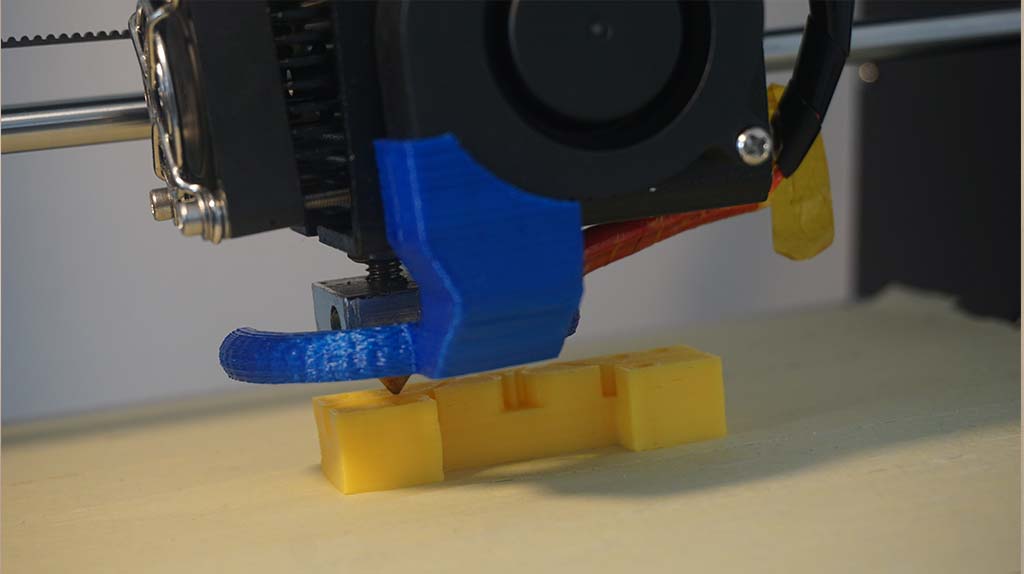
Over time, filament residue can clog the nozzle, causing under-extrusion or failed prints. To prevent this, heat the nozzle to printing temperature and use a cleaning filament or a thin wire to clear blockages. For stubborn clogs, a cold pull (also known as an atomic pull) can help remove debris from the hotend.
3. Lubricate Moving Parts and Check Belts
Smooth motion is essential for accurate prints. Apply a light lubricant (such as PTFE-based oil) to rods and lead screws every few weeks. Inspect belts for signs of wear or slackness—tighten them if you notice any sagging or slipping. Proper tension prevents layer misalignment and improves print consistency.
4. Update Firmware and Calibrate Components
Manufacturers often release firmware updates to fix bugs or enhance performance. Keeping your printer’s firmware current can improve safety and unlock new features. After updates, recalibrate the bed and extruder steps/mm to ensure optimal results.
5. Keep Electronics and Fans Dust-Free
Dust buildup on control boards and cooling fans can lead to overheating or electrical issues. Use compressed air to blow out dust from electronics and fan blades. For enclosed printers, check intake filters and replace them as needed.
Special Considerations for Resin and Advanced Material Printers
Resin printers require extra attention due to the nature of photopolymer materials. Always wear gloves when handling resin and clean the vat thoroughly after each print. Inspect the FEP film for scratches or cloudiness, as these can affect print quality. For those working with advanced filaments, such as carbon fiber or wood composites, refer to our carbon fiber 3D printing and wood filament printing guides for material-specific advice.

Advanced 3D Printer Maintenance Tips for Long-Term Reliability
For those running their machines frequently or using them in a professional setting, deeper maintenance is key. Here are some additional strategies to ensure your printer stays in peak condition:
- Replace consumables such as nozzles, PTFE tubes, and build surfaces at regular intervals. Worn parts can cause print defects and hardware stress.
- Monitor stepper motors for excessive heat or noise. Lubricate bearings and check for loose wiring to prevent failures.
- Backup configuration files and keep a log of maintenance activities. This helps with troubleshooting and ensures consistent performance after upgrades or repairs.
- Inspect wiring for signs of wear, fraying, or loose connections. Electrical issues can cause intermittent failures or safety hazards.
- Store filament properly in dry, sealed containers with desiccant packs. Moisture can degrade filament, leading to poor extrusion and weak prints.
For a comprehensive overview of 3D printing processes and troubleshooting, the Xometry 3D printing guide offers additional insights and best practices.
Common Maintenance Mistakes to Avoid
Even experienced users can overlook key aspects of machine care. Here are some frequent errors and how to prevent them:
- Skipping regular cleaning: Allowing dust and debris to accumulate can cause jams and overheating.
- Neglecting firmware updates: Outdated software may lack important safety features or bug fixes.
- Over-tightening belts: Excessive tension can wear out bearings and lead to premature failure.
- Using poor-quality filament: Cheap or old filament can clog nozzles and damage extruders.
- Ignoring unusual noises: Squeaks or grinding sounds often signal mechanical issues that need immediate attention.
FAQ: 3D Printer Upkeep and Troubleshooting
How often should I clean my 3D printer?
For best results, clean the print bed before every job and perform a more thorough cleaning—nozzle, fans, and moving parts—every 20–30 print hours. If you use abrasive or specialty filaments, increase the frequency.
What’s the best way to prevent nozzle clogs?
Use high-quality filament, store it in a dry environment, and run cleaning filament through the nozzle after every few prints. Regularly inspect the hotend and perform cold pulls if you notice extrusion issues.
Do resin printers need different maintenance than FDM printers?
Yes, resin machines require careful handling of the vat and FEP film, as well as regular cleaning of the build plate and light source. Always wear gloves and dispose of resin waste according to local regulations.
How can I tell if my belts are too loose or too tight?
Belts should be taut but not stretched. If you notice layer shifting or hear slapping noises, check belt tension and adjust according to your printer’s manual.
Where can I learn more about advanced 3D printing materials?
Explore our guides on metal powder printing and sustainable 3D printing materials for in-depth information on material-specific care and techniques.
By following these 3D printer maintenance tips and staying proactive, you’ll enjoy smoother printing, fewer failures, and a longer lifespan for your machine.